
CANopen SDO Server Download Request Trigger
This trigger is called when SDO server has received data as a result of SDO download transaction.
Block ID
CANopen SDO Server Download Request Trigger
Library
motohawk_canopen_lib
Description
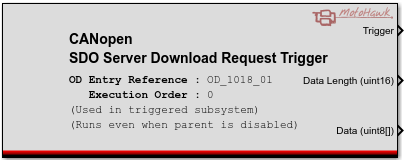
This trigger is called when SDO server has received data as a result of an SDO download transaction. It allows previewing the data before storing it and customization of SDO server response. It is required to have a configured CANopen SDO server instance and CANopen SDO server channel in order for the trigger to execute. It is only allowed to reference internal CANopen object dictionary entries with a writable access type.
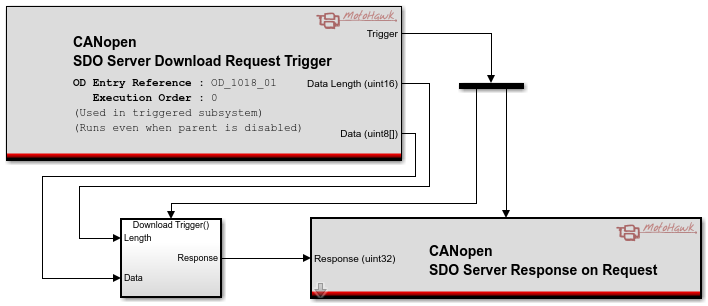
The trigger could be used either as an indication of a received request or as an initiator of CANopen SDO server response on request block. Details on how to initiate a response are in CANopen SDO server response on request help documentation. Processing received data is only possible inside function call subsystem as in the below example.
Block Parameters
| Parameter Field | Values | Comments/Description |
|---|---|---|
| OD Entry Reference | String | Name of associated internal CANopen object dictionary entry. |
| Trigger Name | String | Name of created trigger. Parameter is optional, if no name is provided in the edit field the trigger name is generated automatically. |
| Execution Order within Task | Numeric (Integer) | More than one trigger may be placed in a model that is driven by the same event. Use the execution order within task attribute to define the execution order of these triggers relative to one another. The triggers will execute from the lowest execution order within task value to the highest. |
| This Trigger is inside another triggered subsystem | Checkbox | If the trigger is inside another triggered subsystem, this must be checked. |
| Trigger even when containing subsystem is disabled | Checkbox | If the trigger is inside another enabled subsystem, then execute this subsystem if that subsystem is enabled. |